Social Media Image Sizes 2026: The Complete Cheat Sheet
Updated: June 2026 · approx. 6 min read
A blurry or badly cropped image is noticed instantly – and can cost you reach. Every platform expects its own dimensions and aspect ratios. This cheat sheet sums up all the important image sizes for 2026: as a table per platform, as an infographic to keep, and with short, practical tips.
You can apply every size in one click – CropInSeconds crops pixel-perfectly to each format, 100% locally in your browser, with no upload.
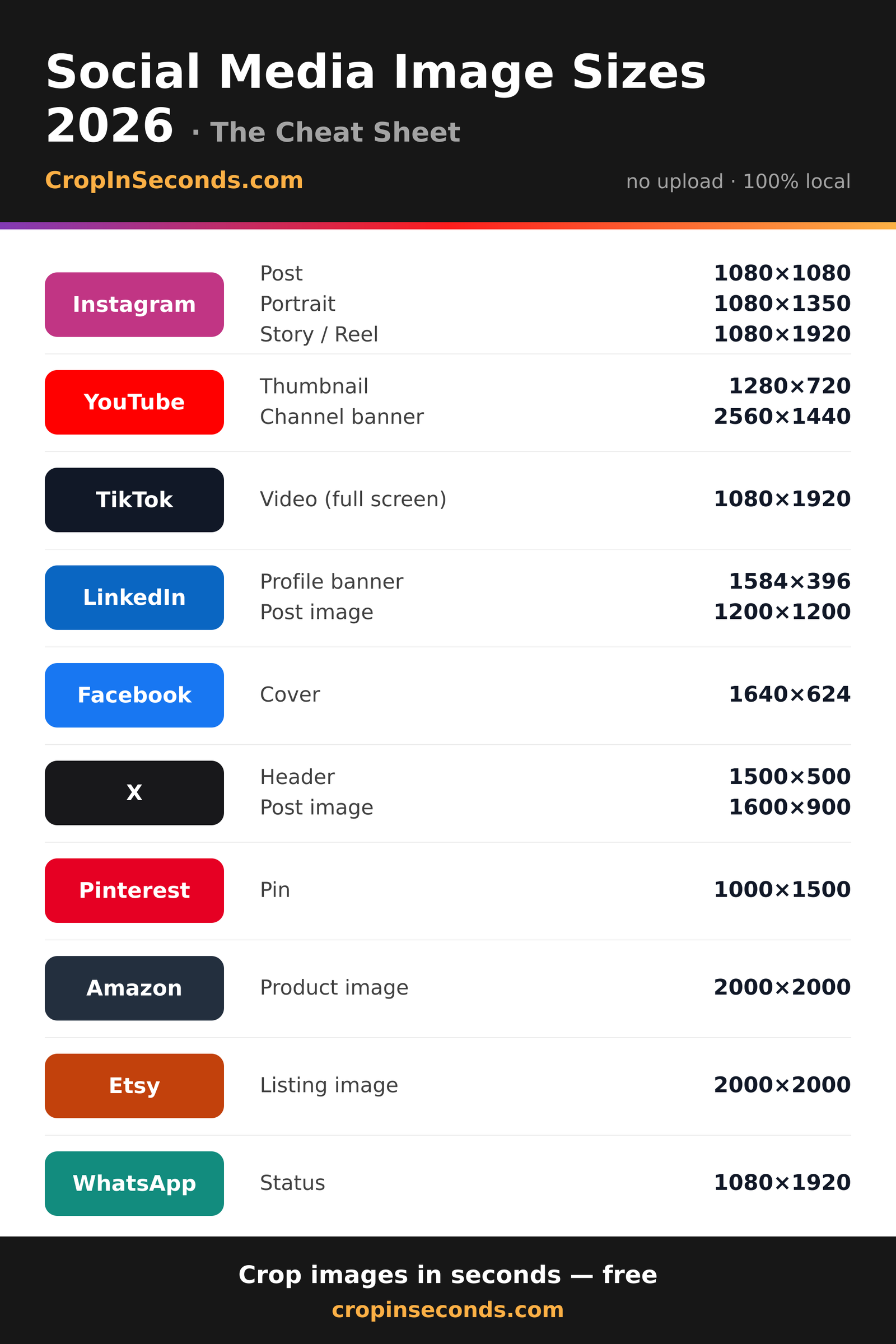
I Instagram
| Format | Pixels | Ratio | |
|---|---|---|---|
| Story / Reel | 1080×1920 | 9:16 | Crop |
| Post (square) | 1080×1080 | 1:1 | Crop |
| Post (portrait) | 1080×1350 | 4:5 | Crop |
Stories and Reels are 9:16, the classic feed post is square – the 4:5 portrait takes up the most space in the feed and stands out more.
Y YouTube
Always export thumbnails at 1280×720 (16:9). The channel banner is cropped differently on TV, desktop and mobile – keep key content in the safe centre.
T TikTok
| Format | Pixels | Ratio | |
|---|---|---|---|
| Video (full screen) | 1080×1920 | 9:16 | Crop |
Full screen 9:16, like Stories. Keep captions and buttons out of the bottom third, where the controls sit.
L LinkedIn
The profile banner is very wide and flat at 4:1 – keep your logo and text away from the edges.
F Facebook
| Format | Pixels | Ratio | |
|---|---|---|---|
| Cover | 1640×624 | 1640:624 | Crop |
The cover is cropped slightly differently per device. Keep the subject centred and it works everywhere.
X X / Twitter
The header is 3:1. In the feed, 16:9 images display most reliably.
P Pinterest
| Format | Pixels | Ratio | |
|---|---|---|---|
| Pin | 1000×1500 | 2:3 | Crop |
Portrait 2:3 (1000×1500) gets the most reach. Even taller pins are partly cut off in the preview.
A Amazon
| Format | Pixels | Ratio | |
|---|---|---|---|
| Product image | 2000×2000 | 1:1 | Crop |
Product images square and at least 1600 px so the zoom works – 2000×2000 is the safe choice.
E Etsy
| Format | Pixels | Ratio | |
|---|---|---|---|
| Listing image | 2000×2000 | 1:1 | Crop |
Square and high-resolution. The first listing image decides the click, so put your best shot there.
W WhatsApp
| Format | Pixels | Ratio | |
|---|---|---|---|
| Status | 1080×1920 | 9:16 | Crop |
The status is a Story: 9:16, full screen. Keep text centred and the edges clear.
D Display Ads (Google Display)
For Google Ads and display campaigns, fixed pixel sizes matter. These are the most common banner sizes for 2026:
| Banner | Pixels | |
|---|---|---|
| medium rectangle | 300×250 | Crop |
| large rectangle | 336×280 | Crop |
| half page | 300×600 | Crop |
| leaderboard | 728×90 | Crop |
| large mobile banner | 320×100 | Crop |
| mobile leaderboard | 320×50 | Crop |
| wide skyscraper | 160×600 | Crop |
| billboard | 970×250 | Crop |
Tip: the Banner Pack exports one image into every size at once as a ZIP.
Four tips for clean results
1. Use a high-resolution source. Shrinking beats enlarging: scaling a small image up to a large target makes it blurry. Start with the largest source you have.
2. JPG for photos, PNG for graphics. Photos compress most efficiently as JPG. Logos, screenshots or graphics with transparency belong in PNG.
3. For extreme ratios, fit instead of hard-cropping. With very wide banners or tall stories, a hard crop loses a lot. The fit mode with a blurred background keeps the whole subject.
4. Mind the aspect ratio, not just the pixels. Squeezing a 4:5 image into a 1:1 frame distorts it. CropInSeconds locks the crop to the correct ratio automatically – so nothing is ever stretched.
Frequently asked questions
What is the best image size for Instagram?
For the feed, the 1080×1350 portrait (4:5) is ideal because it takes up the most space. Square posts are 1080×1080, Stories and Reels are 1080×1920 (9:16).
What does an aspect ratio like 16:9 or 9:16 mean?
The aspect ratio describes the relationship between width and height – independent of the pixel count. 16:9 is a wide landscape (e.g. a YouTube thumbnail), 9:16 a tall portrait (e.g. a Story). 1:1 is square.
Does my image lose quality when I crop it?
Pure cropping only removes areas and is lossless. Quality is mainly lost when a small image is scaled up to a large target size. So always start with the highest-resolution source you have.
Are my images uploaded when I crop them?
No. CropInSeconds processes images 100% locally in your browser (HTML5 File API). Nothing is uploaded; your images never leave your device.
Get started
Pick a platform, drop your image in and download it in the exact format – free, no sign-up, 100% in your browser.
Crop an image